
What matters when evaluating remanufactured endpoints for IGEL OS, and what buyers should verify before they deploy.
It is a fair question, and security teams raise it more than any other:
"IGEL's security model reaches down into the hardware. So how should I think about refurbished hardware?"
The instinct behind the question is sound. IGEL OS is not secure primarily because of software layered on top of an operating system. It is secure because of what the operating system fundamentally is, and part of that design depends on capabilities in the underlying hardware. If the hardware layer is unverified or misconfigured, the protections above it are weakened.
The answer is not that remanufactured hardware is inherently better or worse. It is that certain properties are configuration-dependent, and they need to be established rather than assumed. Below is how IGEL's security model works, which hardware characteristics genuinely matter, where remanufactured units differ from factory-new ones, and what BlueWayz documents for the models we sell.
What IGEL's Preventative Security Model does
Most endpoint security is reactive. You install an operating system, layer antivirus on top, add EDR, add DLP, harden it with scripts, and then spend the rest of the device's life patching all of it.
IGEL's Preventative Security Model™ inverts that approach. Rather than detecting and remediating threats after they arrive, it reduces the conditions that allow them to take hold. Several properties do most of the work:
A read-only operating system. IGEL describes its Linux OS and programs as mounted read-only, so that neither a user nor malware can alter them by accident or intent. There is no conventional persistence mechanism to abuse in the system partitions.
Minimal local data. IGEL positions the endpoint as a window onto centrally hosted resources rather than a place where work products accumulate. Data lives in your data center or your cloud. The practical consequence is meaningful: the exposure from a lost or stolen endpoint is substantially smaller than that of a conventional workstation carrying cached documents and credentials.
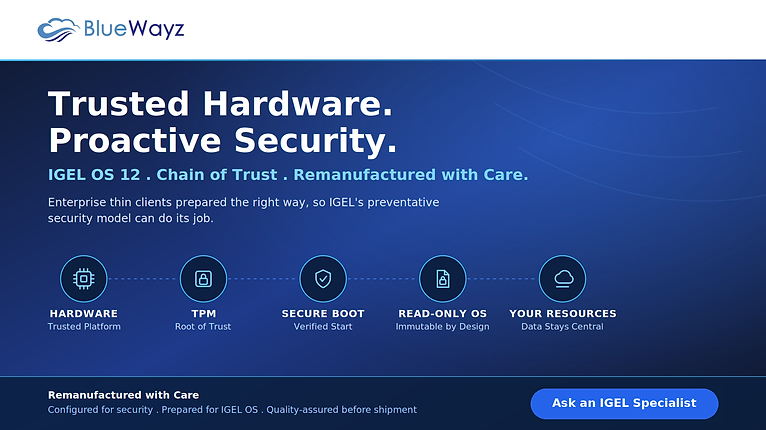
A cryptographically verified boot chain. This is the part most relevant here. Each stage of the boot process validates the signature of the next before handing off control, beginning with UEFI Secure Boot and the platform's TPM, then the bootloader, then the kernel and OS partitions.
Faster recovery. IGEL Dual Boot™ allows a compromised endpoint to boot into a clean IGEL OS partition, shortening recovery from a lengthy reimaging exercise.
One configuration detail worth knowing before any deployment: IGEL notes that on systems where UEFI Secure Boot is enabled, the BIOS setting commonly labelled "Allow Microsoft 3rd Party UEFI CA" must also be enabled, because IGEL relies on that third-party certificate to support Secure Boot. Where it is disabled, IGEL OS may fail to boot. This is a firmware setting, not a hardware limitation, but it is exactly the kind of state that varies between used devices.
What should be verified on remanufactured hardware
A used enterprise thin client arrives from its previous deployment with conditions a factory-new unit does not have. None of these are disqualifying. All of them are worth establishing rather than assuming, whoever you buy from.
BIOS access. Enterprise fleets are frequently deployed with firmware passwords. A device you cannot enter the firmware on is a device where you cannot inspect or configure Secure Boot, TPM state, or boot order, and cannot service later.
Secure Boot state. A previous administrator may have disabled Secure Boot to run something that would not otherwise start. If a unit ships in that state and nobody checks, the boot chain has no anchor and nothing will flag it.
Firmware level. Endpoint firmware receives security fixes. A device pulled from a fleet that stopped receiving updates years ago carries every firmware issue disclosed since.
Storage sanitation. Even endpoints that store little may retain configuration, cached credentials, or certificate material from their previous environment.
TPM presence and version. TPM 2.0 is not universal across the installed base of enterprise thin clients. On several model lines it was configuration-dependent rather than standard.
General hardware condition. Thermal behaviour, port function, and storage health determine whether a unit performs like new hardware or merely powers on.
What BlueWayz does and documents
BlueWayz remanufactures, configures, repairs, and quality-assures enterprise endpoint hardware. Our process includes clearing BIOS passwords set by previous owners and restoring manufacturer default firmware settings, wiping local storage, updating firmware to the level appropriate for the customer's environment, verifying Secure Boot state, and putting units through quality assurance before shipment.
On TPM specifically, we publish the status we can substantiate. Where a model line is documented by the manufacturer as shipping with a specific TPM version, we state it. Where the manufacturer documents that the TPM version depended on the original factory configuration, we say that rather than quoting the higher version. Where we have not established it, we do not claim it.
If TPM version is a compliance requirement in your environment, contact us before ordering so we can confirm an appropriate configuration for your requirement.
IGEL OS 12 hardware requirements, and how our models map
IGEL publishes clear minimums for IGEL OS 12: a 64-bit dual-core CPU at 1.5 GHz or faster, at least 4 GB of RAM, and at least 8 GB of mass storage. More RAM is recommended where unified communications optimizations with a client-side media engine are in use, or where high-resolution output such as dual 2K or a single 4K display is required.
Below that sits Limited Device Support, covering legacy devices with at least 2 GB RAM and a 64-bit dual-core CPU at 1 GHz or faster on IGEL OS 12.4.2 or later. It is confined to use cases running only virtual apps and desktop clients (Citrix Virtual Apps and Desktops, Omnissa Horizon, Microsoft AVD, and Microsoft RDS), provided the client software's own requirements are met, and IGEL provides it at its sole discretion.
Two points from IGEL's documentation deserve emphasis, because they are commonly misread.
First, all requirements must be met for a device to qualify for non-limited support. A device can satisfy the core, memory, and storage thresholds and still fall into Limited Device Support on the basis of clock speed alone.
Second, IGEL maintains a list of devices it has tested with each major release. IGEL is explicit that exclusion from that list does not mean a device will not work. Any x86-64 endpoint meeting the stated minimums can be expected to work adequately and should be considered a candidate for repurposing. But "meets the published minimums" and "appears on IGEL's tested device list" are two different statements, and we are careful not to present the first as the second.
| Model | Processor | RAM | Storage | TPM | Against IGEL OS 12 minimums |
|---|---|---|---|---|---|
| HP t550 Pro | Intel Celeron J6412, 2.0 GHz | 4 GB | 32 GB | TPM 2.0 | Meets published minimums |
| HP t640 | AMD Ryzen Embedded R1505G / V1756B | 8 GB | 128 GB | TPM 2.0 | Meets published minimums |
| HP t540 | AMD Ryzen Embedded R1305G | 4 GB | 16 GB | TPM 2.0 | Meets published minimums |
| Dell OptiPlex 3000 (Pentium Gold) | Intel Pentium Gold quad-core | 8 / 16 GB | 32 / 256 GB | TPM 2.0 | Meets published minimums |
| Dell OptiPlex 3000 (Celeron) | Intel Celeron quad-core | 8 / 16 GB | 32 / 256 GB | TPM 2.0 | Meets published minimums |
| Dell Wyse 5070 (Pentium J5005) | Intel Pentium J5005, 1.5 GHz | 8 GB | 16 / 128 GB | TPM 2.0 | Meets published minimums |
| Dell Wyse 5070 (Celeron J4105) | Intel Celeron J4105, 1.5 GHz | 4 GB | 16 / 128 GB | TPM 2.0 | Meets published minimums |
| Dell Wyse 5470 AIO | Intel Celeron J4105, 1.5 GHz | 4 / 8 GB | 16 / 128 GB | TPM 2.0 | Meets published minimums |
| Dell Wyse 5470 Mobile | Intel Celeron 3865U, 1.8 GHz | 8 GB | 128 GB | TPM 2.0 | Meets published minimums |
| HP t630 | AMD GX-420GI quad-core, 2.0 GHz | 8 GB | 128 GB | Varies by configuration | Meets published minimums |
| HP t530 | AMD GX-215JJ, 1.5 GHz | 4 GB | 16 / 128 GB | Varies by configuration | Meets published minimums |
| HP t430 | Intel Celeron N4000 / N4020 | 4 GB | 16 GB | TPM present, version not verified | Confirm (see note) |
| Dell Wyse 3040 | Intel Atom x5-Z8350, 1.44 GHz | 2 GB | 8 GB | Not verified | Limited Device Support range |
On the HP t430. The Celeron N4000 and N4020 carry a 1.1 GHz base clock with burst to 2.6–2.8 GHz. IGEL's published minimum is 1.5 GHz. Because IGEL requires all minimums to be met and does not state whether burst frequency counts toward that threshold, we do not classify this model's support tier ourselves. If entitlement matters for your deployment, confirm the classification with IGEL for your specific configuration before committing at scale.
On the Dell Wyse 3040. At 2 GB RAM and a 1.44 GHz Atom processor, this unit falls below IGEL OS 12's standard published minimums for both memory and clock speed, placing it in the Limited Device Support range. For a task-worker Citrix or Horizon deployment that is often entirely appropriate. It is a capable, low-power endpoint at a low price. For knowledge workers running unified communications, specify something else.
Why some TPM entries say "varies by configuration." The HP t630 is the clearest illustration. HP documents that it shipped with TPM 1.2 on ThinPro, Smart Zero Core, and Windows Embedded Standard 7E configurations, and TPM 2.0 only on Windows 10 IoT Enterprise configurations. Units from the same model line can therefore differ, determined by what the original purchaser ordered.
There is no way to establish this from the model number alone. Rather than assume every unit carries the highest TPM version available somewhere in the family, we mark those models as configuration-dependent. It is the more conservative representation, and it is the honest one.
A note on PCoIP zero clients
The Dell Wyse 5030 (P25) and Wyse 5050 All-in-One are built around the Teradici TERA2321 PCoIP processor with 512 MB of memory and firmware-only storage. They are not x86-64 systems.
IGEL describes IGEL OS as running on compatible x86-64 devices, which means these zero clients are a fundamentally different architecture and not a conversion target for IGEL OS. That is not a shortcoming. It is what a zero client is. They remain well suited to VMware Horizon and Teradici PCoIP environments, where their stateless firmware architecture is the point. If your endpoint strategy centres on IGEL, these are simply a different category of device.
The part that surprises people
Here is the conclusion that runs against intuition: a well-prepared thin client running IGEL OS 12 can offer a stronger security posture than the aging Windows desktop it replaces.
Not because the hardware is newer. Often it is not. The difference is what the endpoint becomes. A Windows machine accumulates state (installed software, cached data, configuration drift, deferred patches) and drifts further from its approved image every month. An IGEL endpoint boots into a verified, read-only system, holds little worth stealing locally, and resists permanent modification by users or malware.
The security posture comes from the operating system's architecture and from disciplined hardware preparation. Both can be established and documented. Neither requires the device to be new.
The most useful question to ask any refurbished endpoint vendor is not "is this hardware secure?" It is "what can you tell me about this specific configuration, and what have you verified?" A vendor who can answer precisely, including where the answer is "that depends on the unit," is giving you something you can plan around.
Talk to an IGEL specialist
BlueWayz provides IGEL solutions and IGEL OS-based endpoint solutions. We remanufacture enterprise thin clients and deploy IGEL OS, which means we can speak to both halves of the problem, hardware preparation and endpoint OS strategy, in the same conversation.
If you are planning an endpoint refresh, evaluating IGEL OS 12 for an existing fleet, or working out which hardware fits your use case and support requirements, we are glad to help.
BlueWayz is an enterprise endpoint computing company based in Cleveland, Ohio, specializing in thin clients, zero clients, secure endpoint solutions, and device lifecycle services.